darktable preset inspired by FujifilmVelvia 50
Extreme saturation and blues that lean toward indigo.
- Film
- GA — 014 · sheet, datasheet, sources
- Pack
- Full pack
- darktable
- 5.6 or later
- In darktable
- Styles › Pellicules › Diapo
- File
- Pellicules - Diapo - Fujifilm Velvia 50.dtstyle
A darktable 5.6 style built from the Fujifilm Velvia 50 datasheet: native modules, no LUT, measured on real RAW files. In the full pack.
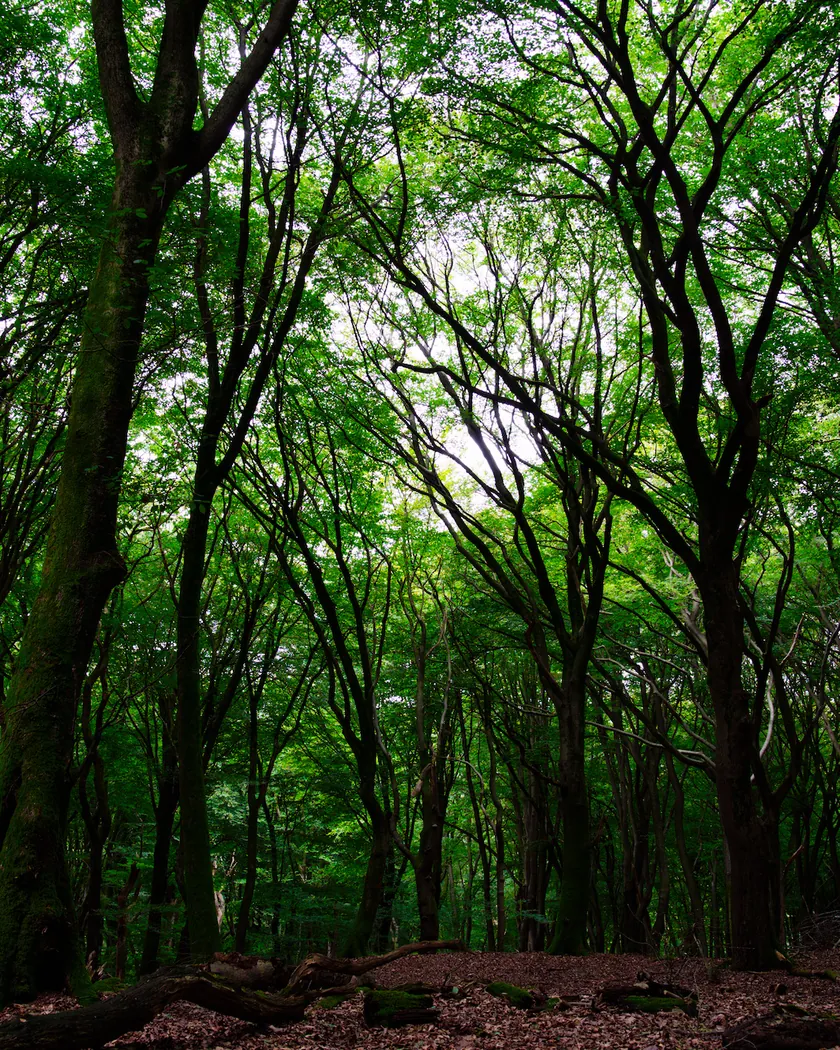
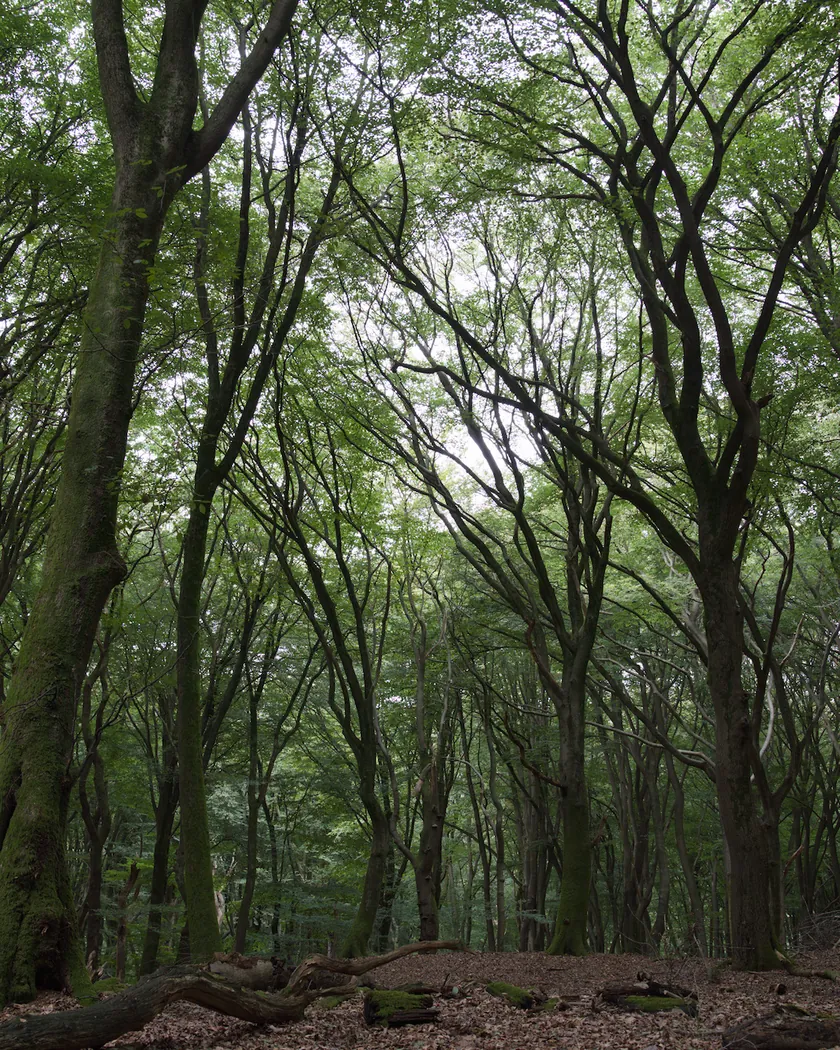
Translation into darktable
| Module | Role | Settings |
|---|---|---|
| rgb primaries | Blues turned toward indigo, reds toward pink | Blue hue +0.04 rad, red hue −0.06 rad |
| color balance rgb (instance “film”) | Extreme saturation; magenta-violet shadows and a slight warmth in the highlights | Saturation +20 %, chroma +0.08, vibrance +0.10; shadows 300° / 0.02, highlights 50° / 0.005 |
| color equalizer | Electric greens, strong yellows, darker blues, pinker skin | Saturation green ×1.30, yellow ×1.20, blue ×1.05, magenta ×1.05; brightness blue ×0.90; hue orange −10° |
| tone curve (RGB, linked channels) | Steep slide-film slope with crushed shadows | Nodes (0, 0) (0.10, 0.015) (0.20, 0.07) (0.35, 0.27) (0.5, 0.49) (0.65, 0.70) (0.80, 0.86) (0.93, 0.965) (1, 1) |
Measurements
The measurements come from a few test photos of our own, which are not published on this site. The photos shown here are different.
| Photo | Zone | Baseline | Metric | Before | After | Film expectation |
|---|---|---|---|---|---|---|
| 0775 | whole image | Base rendering | Lsd (contrast) | 14.3 | 19.6 | High contrast: clearly higher |
| 1014 | whole image | Base rendering | L5 (blacks) | 2.6 | 0.3 | Shadows that block up |
| 0775 | sky | Base rendering | C (chroma) | 27.5 | 43.3 | Extreme saturation |
| 0775 | sky | Base rendering | h (hue, °) | 273.6 | 279.7 | Deep blues, toward indigo |
| 0775 | sea | Base rendering | C (chroma) | 22.2 | 40.1 | Extreme saturation |
| 0989 | skin | Base rendering | h (hue, °) | 44.2 | 39.9 | Pinker, less flattering skin |
| 1014 | pink T-shirt | Base rendering | C (chroma) | 33.7 | 55.2 | Leaning toward magenta |
Base rendering: darktable’s default processing of the RAW file, without the preset. Luminance conversion (black and white): the same photo converted with plain luminance weights, to isolate the effect of the film’s spectral sensitivity.
What the style changes
The style adds four darktable modules. It aims at Velvia 50’s reputation: extreme saturation, deep blues leaning toward indigo, strong greens and yellows, a magenta tendency and hard, crushed shadows. The sources are detailed on the Fujifilm Velvia 50 film page. All figures below come from renders made with darktable-cli 5.6.0 at 1000 px, measured in CIELab.
- The hardest contrast of the Grain Archive slide-film styles. The tone curve follows the datasheet’s slope, which steepens toward the shadows. Contrast rises from 14.3 to 19.6, against 16.4 for the Provia 100F style, and the darkest 5 % of the frame fall from L 2.6 to 0.3.
- Extreme saturation. A color balance rgb instance named “film” raises saturation, chroma and vibrance together. Sky chroma goes from 27.5 to 43.3 (+57 %), sea chroma from 22.2 to 40.1 (+81 %). An intermediate version reached +113 % on the sea and was toned down.
- Blues toward indigo. rgb primaries turns blue toward violet and color equalizer darkens it: the sky moves from 273.6° to 279.7°.
- Magenta shadows, a little warmth. The “film” instance tints the shadows magenta-violet and the highlights slightly warm. The pink T-shirt gains 64 % chroma.
- Electric greens and strong yellows, through color equalizer saturation.
- Pinker skin. Skin hue moves from 44.2° to 39.9°, toward the pink that reviews find unflattering.
- No grain. With an RMS granularity of 9, grain is not visible at normal sizes, so the style adds none.
For comparison, the t3mujinpack style for this film, rendered on the same files, stays moderate: contrast 16.2, sky chroma +25 %. It pushes skin further toward pink (28.3°). Both go in the same direction; this style is the more saturated of the two.
What it leaves alone
- Your base development. The style contains no exposure, no sigmoid or filmic, no white balance, no color calibration and no LUT: those stay as you set them.
- Your pipeline order. The style file carries no module order list, so it does not impose one on your image.
- Your own color balance rgb. The style’s instance is named “film”, so it is added next to yours without changing it (unless the photo already has an instance named “film”, for example from an earlier application of the style).
What it does not leave alone: applied from the lighttable or the darkroom, each module of the style replaces the instance of the same name on the photo, or is added if there is none. The style’s unnamed modules, rgb primaries, color equalizer and tone curve, therefore overwrite any settings you had already made in those modules. Your earlier settings stay in the history stack. Exporting with a style, or rendering with darktable-cli as our measurements do, adds the style’s modules as separate instances instead. Details in Install and apply darktable styles.
Limits
- An interpretation, not a calibration. No film was scanned or measured to tune the style.
- The hue of the greens is not reliably documented. The style only saturates them, without rotating their hue.
- Already vivid subjects can go too far. The pink T-shirt gains 64 % chroma: consistent with the magenta tendency, but possibly excessive.
- Long exposures. The color shifts of reciprocity failure are not simulated.
- Narrow latitude. On film, highlights burn out and shadows block up within a few stops. The style steepens the curve, but it cannot remove the detail your RAW file holds.
Tips
- For a gentler Velvia, lower the saturation of the “film” color balance rgb instance, much as film users once rated the original Velvia at EI 40 or 32 for softer color.
- Mind the skin. On portraits, switch off color equalizer or reduce its orange hue shift.
- Installation: see Install and apply darktable styles.
Get the preset
GA — 014 / P · darktable preset
Velvia 50
for darktable