darktable preset inspired by LomographyRedscale XR 50-200
Red-orange cast with lifted, muddy blacks, low contrast and visible grain, redder in the shadows.
- Film
- GA — 060 · sheet, datasheet, sources
- Pack
- Full pack
- darktable
- 5.6 or later
- In darktable
- Styles › Pellicules › Effets
- File
- Pellicules - Effets - Lomography Redscale XR.dtstyle
A darktable 5.6 style built from Redscale XR reviews (no datasheet exists): red-orange cast, muddy blacks, visible grain, measured on real RAW files. In the full pack.
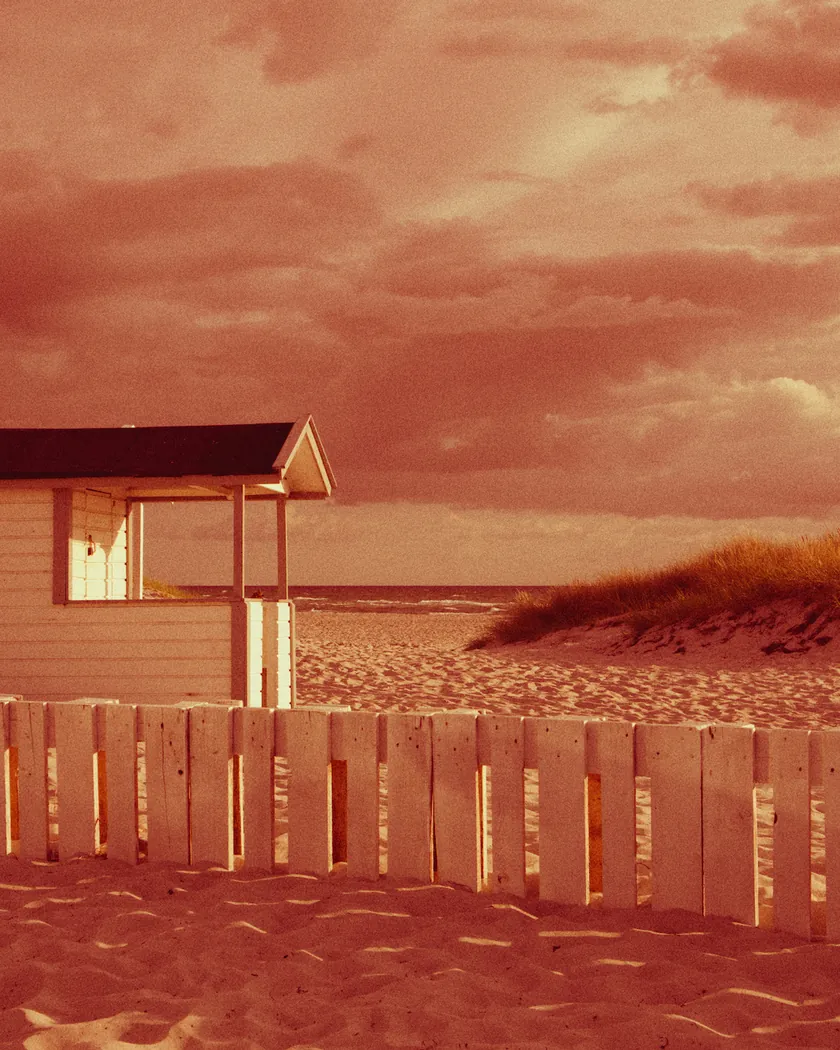
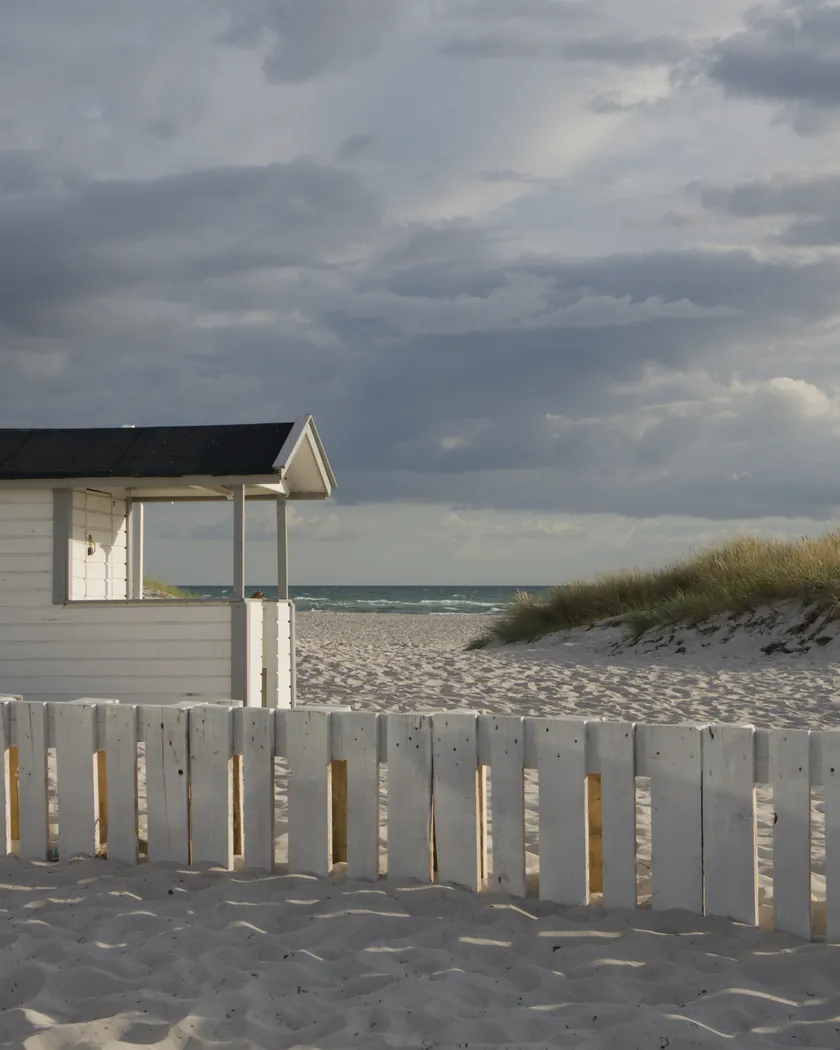
Translation into darktable
| Module | Role | Settings |
|---|---|---|
| color balance rgb (instance “film”) | Deep red shadows, copper-red midtones, yellow highlights: the effect is stronger where there is less light | Shadows 350° / 0.14; midtones 25° / 0.08; highlights 100° / 0.08; global saturation −15 % |
| color equalizer | Every hue pulled toward the red-yellow axis; blues muted and lighter; residual cool colors calmed | Hue: green −35°, cyan −70°, blue +80°, lavender +80°, magenta +40°; blue saturation ×0.55, brightness ×1.05; cyan saturation ×0.8; green saturation ×0.9 |
| tone curve (RGB, per channel) | Low contrast, lifted blacks: muddy shadows; softer than the Harman Red 125 style | Nodes (0, 0.03) (0.1, 0.09) (0.25, 0.22) (0.5, 0.49) (0.75, 0.76) (0.9, 0.91) (1, 0.99) |
| grain | Visible grain of an underexposed ISO 100–200 negative, stronger in the shadows | Coarseness 2000, strength 32, midtones bias 65 |
Measurements
The measurements come from a few test photos of our own, which are not published on this site. The photos shown here are different.
| Photo | Zone | Baseline | Metric | Before | After | Film expectation |
|---|---|---|---|---|---|---|
| 1014 | whole image | Base rendering | L (lightness) | 36.5 | 37.0 | Overall lightness roughly unchanged |
| 1014 | whole image | Base rendering | Lsd (contrast) | 30.7 | 30.2 | Low contrast |
| 1014 | whole image | Base rendering | L5 (blacks) | 2.6 | 5.4 | Muddy shadows: blacks lifted |
| 1014 | whole image | Base rendering | L95 (highlights) | 87.9 | 89.7 | Highlights kept |
| 1014 | whole image | Base rendering | C (chroma) | 8.6 | 34.3 | Strong red-orange cast |
| 0775 | whole image | Base rendering | L (lightness) | 53.2 | 52.6 | Overall lightness roughly unchanged |
| 0775 | whole image | Base rendering | Lsd (contrast) | 14.3 | 15.3 | Low contrast |
| 0775 | whole image | Base rendering | C (chroma) | 21.4 | 45.8 | Strong red-orange cast |
| 0775 | sky | Base rendering | C (chroma) | 27.5 | 49.8 | Red-orange cast |
| 0775 | sky | Base rendering | h (hue, °) | 273.6 | 41.7 | Blue turns red-orange |
| 0775 | sea | Base rendering | C (chroma) | 22.2 | 54.0 | Red-orange cast |
| 0775 | sea | Base rendering | h (hue, °) | 270.1 | 34.1 | Blue turns red-orange |
| 0989 | skin | Base rendering | L (lightness) | 78.2 | 78.2 | No skin data in the sources |
| 0989 | skin | Base rendering | C (chroma) | 16.4 | 35.3 | No skin data in the sources |
| 0989 | skin | Base rendering | h (hue, °) | 44.2 | 62.9 | No skin data in the sources |
| 1014 | pink T-shirt | Base rendering | C (chroma) | 33.7 | 63.4 | Strong red-orange cast |
| 1014 | pink T-shirt | Base rendering | h (hue, °) | 358.8 | 39.2 | Hues pulled toward red-orange |
Base rendering: darktable’s default processing of the RAW file, without the preset. Luminance conversion (black and white): the same photo converted with plain luminance weights, to isolate the effect of the film’s spectral sensitivity.
What the style changes
The style sets four darktable modules. Lomography publishes no datasheet, so the style rests on reviews, summarized on the Redscale XR film page. It is an interpretation by color casts that depend on brightness, not a measurement of the film, and it is tuned to an intermediate look around ISO 100. Figures below come from renders made with darktable-cli 5.6.0 at 1000 px, measured in CIELab. There is no t3mujinpack reference for this film.
- A red-orange cast. Sky hue goes from 274° to 42° and sea from 270° to 34°, with chroma about doubled (sky C 27.5 → 49.8, sea 22.2 → 54.0). That matches the red-orange cast reviewers describe.
- Redder shadows than highlights. A color balance rgb instance named “film” tints shadows deep red (350°), midtones copper (25°) and highlights yellow (100°). The arch of photo 1013 comes out dark red and the sky near the horizon yellow, which we checked by eye.
- Every hue pulled toward red-yellow. color equalizer moves green, cyan, blue, lavender and magenta toward that axis. Blues are muted and lightened. No primaries rotation is used: a strong rotation of primaries leaves the gamut and produces flat areas and solarization, as we saw on the Harman Red 125 style.
- Low contrast, lifted blacks. Contrast is unchanged on photo 1014 (Lsd 30.7 → 30.2) and blacks are lifted (L5 2.6 → 5.4), which fits the “muddy” shadows and “too low in contrast” from reviews. In a render made at the same time, the Harman Red 125 style gave Lsd 34.1 and L5 1.4.
- Visible grain. Coarseness 2000 and strength 32, stronger than the Harman Red 125 style (1500 / 24).
- Skin. Skin turns more yellow-orange and about twice as saturated (hue 44° → 63°, C 16 → 35). The sources say nothing precise about skin, so no film expectation is claimed.
- No flat areas or posterization were seen on the four test photos.
What it leaves alone
- Your base development. The style contains no exposure, no sigmoid or filmic, no white balance and no LUT.
- Your color balance rgb. The style’s instance is named “film” and is added next to yours, which stays untouched.
- But not your color equalizer, tone curve or grain. When you apply a style from the lighttable or the darkroom, each module replaces the instance of the same name if the photo has one. These three carry no instance name, so they replace your settings in them; your earlier settings remain in the history.
- Your pipeline order. The style carries no module order list.
Exporting with a style, or rendering with darktable-cli, adds every module as a separate instance; our measurements were made that way. Details are in Install and apply darktable styles.
Limits
- No datasheet. The curve and the grain are estimated from reviews.
- The look varies with the ISO set on the film. The style fixes an intermediate look, stronger than ISO 50 and softer than ISO 200.
- The tinted base is not modeled. The cast is a shift of hues by brightness zone, not spectral filtering. Bright blue turning white, reported at ISO 200 by one reviewer, is not reproduced: the blue shutters of photo 0989 turn saturated red, not white.
- Cyan noise in the shadows (ISO 200, one reviewer) is not simulated.
- Few usable sources. Lomography’s pages and two reviews refused access when the style was built. The reviews are qualitative.
- Close to the Harman Red 125 style in hue. The difference is in contrast, blacks and grain, not in a separate spectral model.
Tips
- The ISO effect is not built in. Reviewers get a milder cast at ISO 50 and a stronger one at ISO 200. Adjust the saturation of the “film” color balance rgb instance to taste.
- Apply it early. If you plan to adjust the color equalizer, tone curve or grain yourself, apply the style first.
- Installation: see Install and apply darktable styles.
Get the preset
GA — 060 / P · darktable preset
Redscale XR 50-200
for darktable