darktable preset inspired by HarmanRed 125
Redscale look: deep red shadows, orange midtones, yellow highlights, strong contrast.
- Film
- GA — 059 · sheet, datasheet, sources
- Pack
- Full pack
- darktable
- 5.6 or later
- In darktable
- Styles › Pellicules › Effets
- File
- Pellicules - Effets - Harman Red 125.dtstyle
A darktable 5.6 style that turns a photo into a Harman Red 125 redscale look: red shadows, orange midtones, yellow highlights. Measured on RAW files. Full pack.
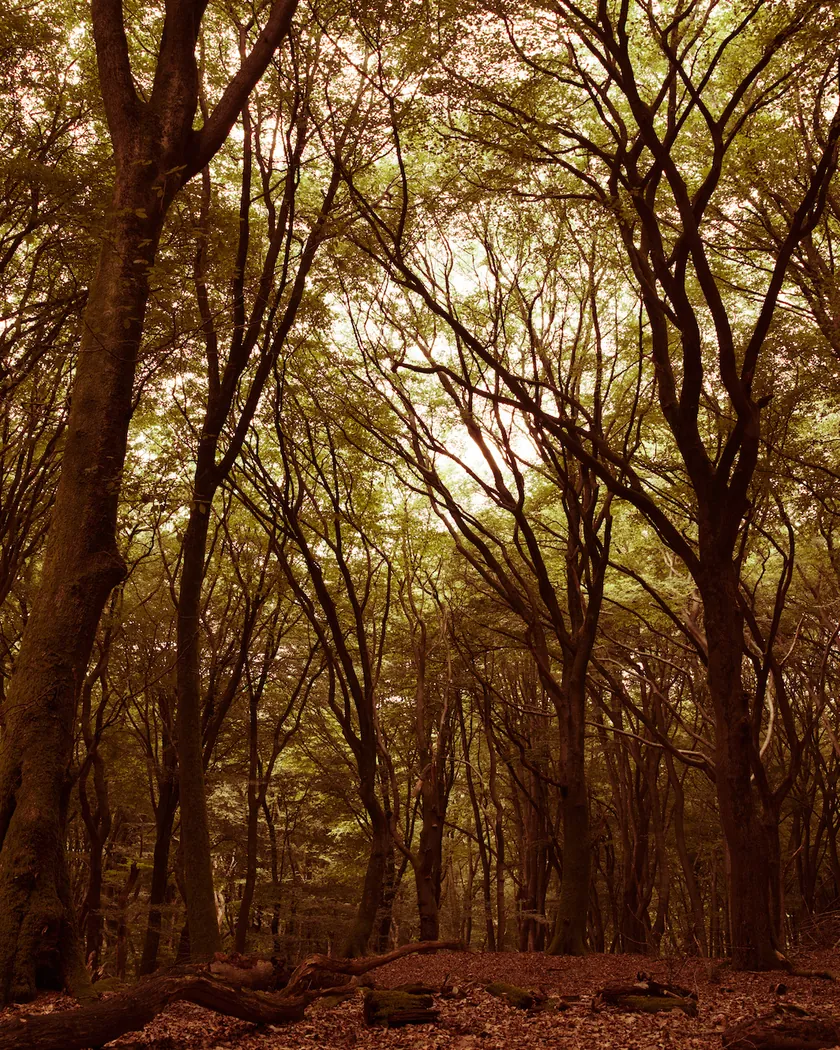
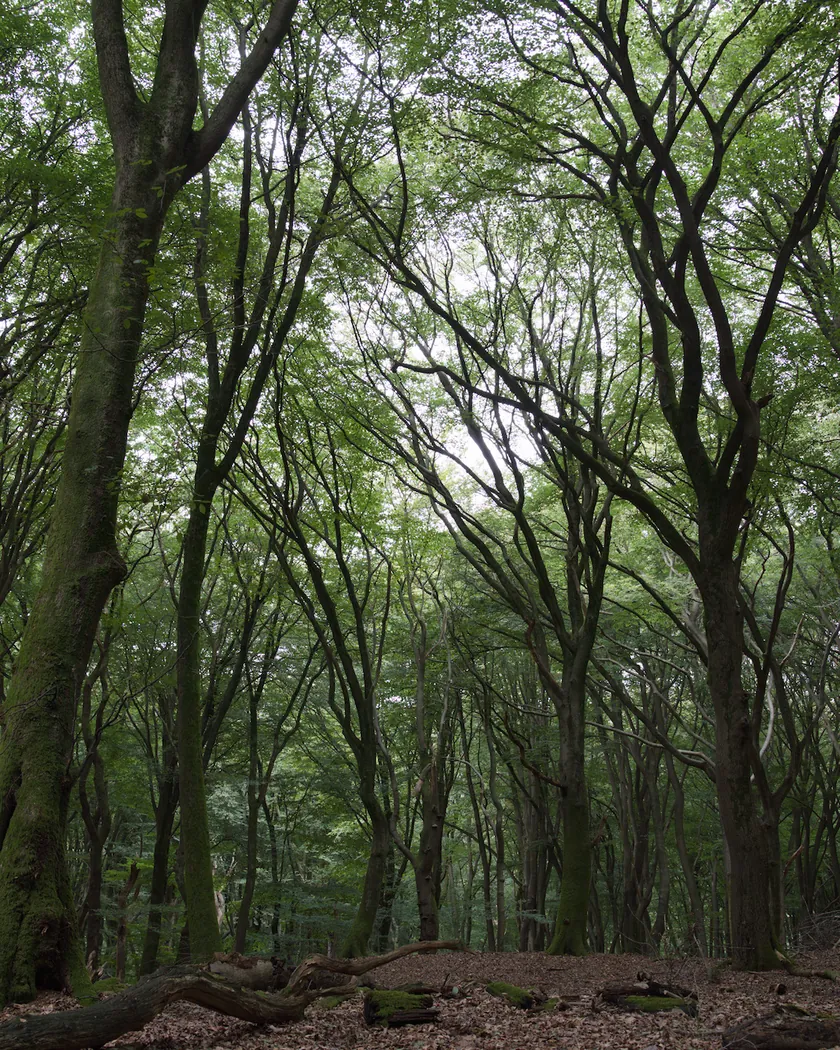
Translation into darktable
| Module | Role | Settings |
|---|---|---|
| color balance rgb (instance “film”) | Deep red-orange shadows, orange midtones, yellow highlights; hue pulled onto a red-to-yellow axis | Shadows 0° / 0.09; midtones 50° / 0.05; highlights 100° / 0.07; global saturation −25 % |
| color equalizer | Blues, violets and pinks moved toward orange, greens toward yellow, cyans toward yellow-green; blues turned dark orange | Blue +105°, lavender +100°, magenta +55°; green −30°, cyan −50°; blue saturation ×0.8, brightness ×0.9; green saturation ×0.9 |
| tone curve (RGB, per channel) | High-contrast film per the datasheet: marked S-curve, deep blacks | Nodes (0, 0) (0.1, 0.05) (0.25, 0.19) (0.5, 0.5) (0.75, 0.81) (0.9, 0.94) (1, 1) |
| grain | Nominal ISO 125 grain, present in the shadows too | Coarseness 1500, strength 24, midtones bias 70 |
Measurements
The measurements come from a few test photos of our own, which are not published on this site. The photos shown here are different.
| Photo | Zone | Baseline | Metric | Before | After | Film expectation |
|---|---|---|---|---|---|---|
| 1014 | whole image | Base rendering | Lsd (contrast) | 30.7 | 34.1 | High-contrast film (Harman) |
| 1014 | whole image | Base rendering | L5 (blacks) | 2.6 | 1.4 | Deeper blacks |
| 1014 | whole image | Base rendering | L95 | 87.9 | 92.7 | Brighter highlights |
| 1014 | whole image | Base rendering | C (chroma) | 8.6 | 23.4 | Strong red-orange color |
| 0775 | whole image | Base rendering | Lsd (contrast) | 14.3 | 17.7 | High-contrast film (Harman) |
| 0775 | whole image | Base rendering | C (chroma) | 21.4 | 43.3 | Strong red-orange color |
| 0775 | sky | Base rendering | L (lightness) | 55.3 | 53.3 | Blue recorded in the red and green layers |
| 0775 | sky | Base rendering | C (chroma) | 27.5 | 51.7 | Intense reds in direct sun (PetaPixel) |
| 0775 | sky | Base rendering | h (hue, °) | 273.6 | 50.7 | Blue turns orange |
| 0775 | sea | Base rendering | L (lightness) | 38.4 | 33.1 | Blue turns dark orange |
| 0775 | sea | Base rendering | h (hue, °) | 270.1 | 43.4 | Blue turns orange |
| 0989 | skin | Base rendering | C (chroma) | 16.4 | 25.9 | Orange to yellow skin, not red |
| 0989 | skin | Base rendering | h (hue, °) | 44.2 | 67.6 | Orange to yellow skin, not red |
| 1014 | pink T-shirt | Base rendering | C (chroma) | 33.7 | 55.5 | Scene hue barely matters |
| 1014 | pink T-shirt | Base rendering | h (hue, °) | 358.8 | 46.6 | Scene hue barely matters |
Base rendering: darktable’s default processing of the RAW file, without the preset. Luminance conversion (black and white): the same photo converted with plain luminance weights, to isolate the effect of the film’s spectral sensitivity.
What the style changes
The style sets four darktable modules. Harman’s datasheet says the film records blue areas of the scene in its red and green layers and very little in the blue layer, with images running from vivid orange and red to subtler orange and green tones (see the Harman Red 125 film page). The style turns this into one look, built from the datasheet and from review descriptions. It is a model, not a measurement of the film. All figures below come from renders made with darktable-cli 5.6.0 at 1000 px, measured in CIELab, with no reference render of a scanned film.
- One red-to-yellow axis. Blue in the scene becomes orange, green becomes yellow-green, red stays red. The image sits on a line running from dark red (shadows) through orange (midtones) to yellow (highlights). Color balance rgb sets those three tints and lowers global saturation by 25 %, and color equalizer moves blues, violets, magentas, greens and cyans toward that axis.
- Blues turn orange. The sky of photo 0775 goes from hue 273.6° to 50.7° with chroma 27.5 to 51.7; the sea from 270.1° to 43.4° and darker (L 38.4 to 33.1). The pink T-shirt of photo 1014 goes from 358.8° to 46.6°: it lands in the same orange as everything else, so the scene’s own hue barely matters.
- Skin. Skin in photo 0989 moves from 44.2° to 67.6°, with chroma 16.4 to 25.9. Faces come out orange-yellow rather than red.
- High contrast, deep blacks. A marked S-shaped tone curve raises contrast (Lsd 30.7 to 34.1 on photo 1014, 14.3 to 17.7 on 0775), deepens the blacks (L5 2.6 to 1.4) and brightens the highlights (L95 87.9 to 92.7). This follows the datasheet’s “high contrast film”.
- Strong color. Chroma roughly doubles on the sky and the sea, in line with the intense reds reviewers report in direct sun.
- Grain. Coarseness 1500, strength 24, with a midtones bias so grain also shows in the shadows. Harman publishes no RMS or grain index, so this is set by eye for a nominal ISO 125.
- By eye. Shadows come out red-brown, midtones orange and highlights light yellow, with no flat areas or posterization.
A stronger rotation of the blue primary in rgb primaries was tried first, and left out: it went out of gamut and produced flat areas, solarized tones and black skin.
What it leaves alone
- Your base development. The style contains no exposure, no sigmoid or filmic, no white balance and no LUT. Those settings stay as you made them.
- Your color balance rgb. The style’s color balance rgb is a separate instance named “film”: it is added next to yours, which stays untouched.
- But not your color equalizer, tone curve or grain. When you apply a style from the lighttable or the darkroom, each of its modules replaces the instance of the same module with the same name, if the photo has one, and is added otherwise. These three modules carry no instance name, so they replace any settings you had already made in them. Your earlier settings remain in the history.
- Your pipeline order. The style file carries no module order list, so it does not impose one on your image.
Exporting with a style, or rendering with darktable-cli, works differently: every module of the style is added as a separate instance. Our measurements were made that way, on darktable’s default rendering. The details are in Install and apply darktable styles.
Limits
- An interpretation, not a calibrated emulation. No film was scanned for this style.
- One look for a film that varies a lot. Real Harman Red 125 changes with light and exposure: sepia-like under clouds, greens when overexposed, deep red when underexposed. The style fixes a single look, that of full sun.
- Hue shift, not a channel mix. The style moves hues toward the red-yellow axis. It does not reproduce the actual mix of the film’s layers (red recorded from red and blue light, green from green and blue). A true mix would need color calibration’s channel mixer before the rest of the pipeline; we did not test it.
- Skin is a little too yellow. The yellow of the highlights probably weighs too much on faces.
- Greens are barely documented. They move toward yellow-green, but the style was not checked on a hue chart.
- No halos. The halos around light sources that 35mmc reported are not reproduced.
- The characteristic curve was not digitized. Grain is set without an RMS value.
Tips
- Apply it early. If you plan to fine-tune the tone curve, color equalizer or grain yourself, apply the style first: it would replace those settings if you made them before.
- Exposure changes the film, not the style. To get the overexposed, brighter and greener side of the film, raise the exposure in your own base development before applying the style; this is our suggestion, not something we measured.
- Installation: see Install and apply darktable styles.
Get the preset
GA — 059 / P · darktable preset
Red 125
for darktable